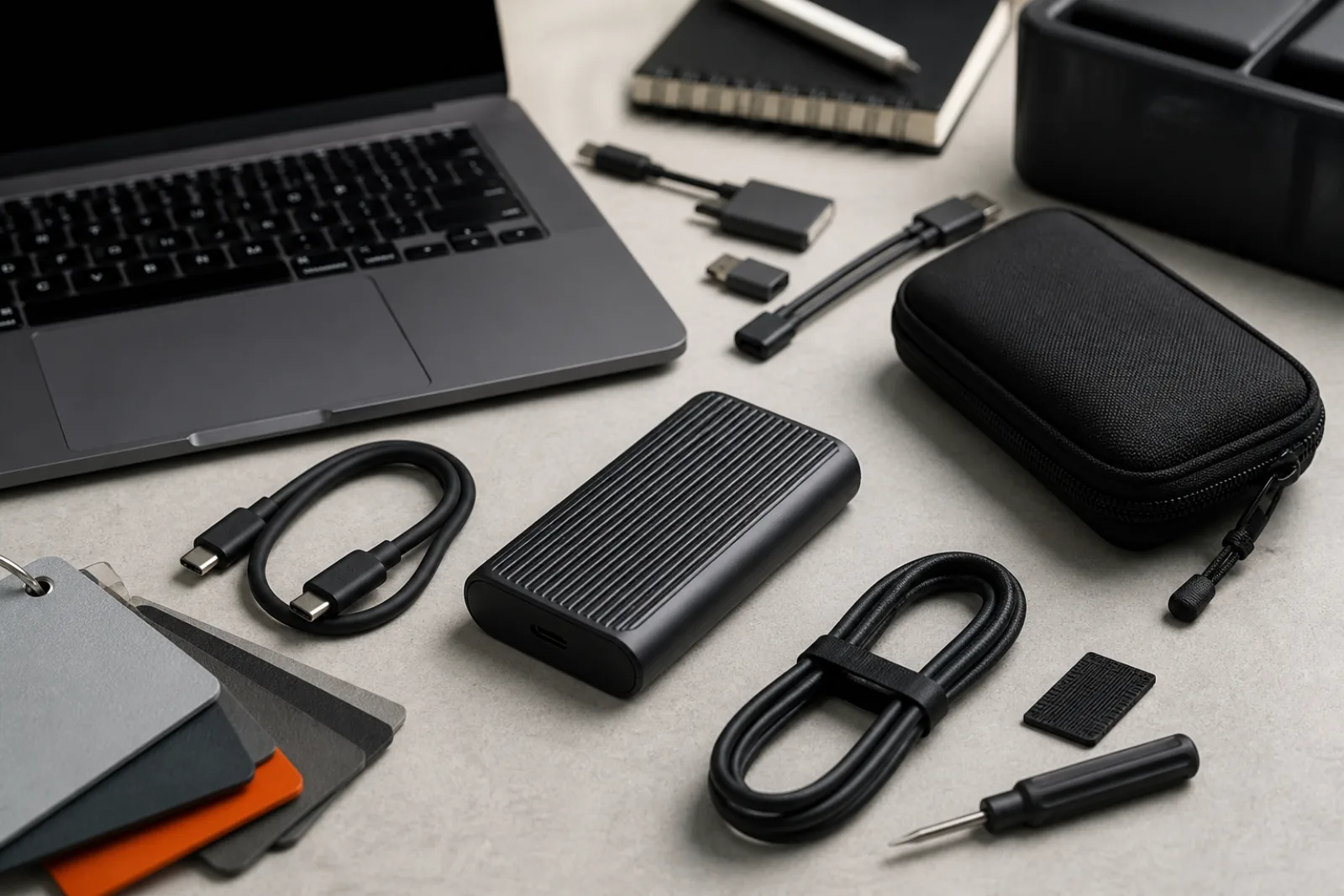
A portable SSD looks like a tiny hard drive and markets itself like a racing part. Inside, it is usually a flash device that talks NVMe to a controller, then a second chip translates that into USB so a laptop port can see a disk. The brochure number is often a peak sequential rate measured on a matching high-speed port with a short cable and a fresh, empty drive. Culture Column has not run those benchmarks and will not invent them. What a spec sheet can tell you is which USB signaling rate the product claims, whether the cable in the box is rated for that rate, and whether the manufacturer even publishes a sustained or thermal-throttle note.
The other half of the decision is not speed. A fast enclosure is still a single point of failure: drop it, encrypt it with a forgotten password, or let ransomware see it while it is plugged in, and the copy is gone. CISA's backup guidance, written for home users as well as shops, still starts from the 3-2-1 rule. Gigabytes per second do not substitute for a second copy on different media, with one copy somewhere that is not this bag.
USB-IF has been unusually explicit about naming because the industry made a mess of it. The USB 3.2 specification absorbed earlier 3.x versions and defines three transfer rates: USB 3.2 Gen 1 at 5 Gbps, marketed as SuperSpeed USB; USB 3.2 Gen 2 at 10 Gbps, marketed as SuperSpeed USB 10Gbps; and USB 3.2 Gen 2x2 at 20 Gbps, marketed as SuperSpeed USB 20Gbps. Gen 2x2 uses two 10 Gbps lanes and requires USB Type-C on both ends. USB-IF tells vendors not to put 'SuperSpeed Plus' or 'SuperSpeed+' on consumer packaging. It also says USB 3.2 is not USB Type-C, not USB-A, and not USB Power Delivery. The connector shape and the data rate are different specifications. A USB-C plug can be a 5 Gbps disk, a 20 Gbps disk, or a charger that does not move files at all.
- USB 3.2 Gen 1 (SuperSpeed USB)
- 5 Gbps signaling. Works on USB-A or USB-C. Often enough for backups that are not huge video libraries. Older 'USB 3.0' labels usually mean this rate.
- USB 3.2 Gen 2 (SuperSpeed USB 10Gbps)
- 10 Gbps signaling. USB-A or USB-C. A common ceiling for portable NVMe enclosures when the host has no 20 Gbps or USB4 path.
- USB 3.2 Gen 2x2 (SuperSpeed USB 20Gbps)
- 20 Gbps using two 10 Gbps lanes. USB-C only. Host, device, and cable must all support this mode. A 10 Gbps host will fall back.
- USB4
- USB-IF describes USB4 as doubling USB's maximum aggregate bandwidth relative to the prior generation, with two-lane Type-C operation and up to 80 Gbps over 80 Gbps certified cables. Implementations vary (20, 40, or 80 Gbps). The connection runs at the best mutual capability, including fallback to USB 3.2 and USB 2.0.
USB-IF USB 3.2 language and packaging guidelines; USB-IF USB4 specification page. Accessed 2026-08-12. These are signaling rates, not measured file-copy speeds.
NVMe is the language the flash talks internally. USB is the language the laptop port talks. A bridge chip sits between them. That is why a disk advertised as 'NVMe portable SSD' can still crawl on a 5 Gbps port: the NAND and the NVMe controller may be capable of far more than the USB pipe. It is also why two enclosures with the same USB-C plug can differ. One bridge implements SuperSpeed USB 10Gbps. Another implements 20 Gbps Gen 2x2. A third implements USB4. Plug the 20 Gbps drive into a 10 Gbps port and USB-IF's own compatibility rule applies: the link runs at the lowest common speed. Nothing looks broken. The copy is just slower than the box.
Cables are a fourth variable, not an accessory afterthought. A USB-C cable can be USB 2.0 only (fine for charging, useless for a fast disk), SuperSpeed 5 or 10 Gbps, 20 Gbps, or a USB4/Thunderbolt cable. The cable in a cheap enclosure kit is not always rated for the drive's headline rate. If the manufacturer ships a short, marked SuperSpeed USB 10Gbps or 20Gbps cable, use that cable for speed tests and keep a spare that is actually rated, not a random charger cord from a drawer. USB-IF's packaging guidelines exist because this confusion is the default state of the shelf.
Peak versus sustained is the other place spec sheets go quiet. Many portable SSDs use a DRAM or SLC cache that absorbs a burst, then writes through to slower TLC or QLC NAND. A 20-second copy of a folder can look spectacular. A 40-minute copy of a camera card, or a scratch disk for video, can fall off a cliff once the cache is full and the case is hot. Culture Column has not measured that drop. What you can demand from a manufacturer is a published sequential figure with a test method, a note about thermal throttling, and a warranty that states both years and terabytes written (TBW) or a drive-writes-per-day figure. A three-year warranty with a low TBW is a different product from a five-year warranty with a high TBW, even if both say 10 Gbps on the nose.
Ingress protection, when it is present, is an IEC 60529 code, not a ruggedness personality. IP65 means dust-tight and protected against water jets. IP67 means dust-tight and protected against short immersion. Some portable SSDs advertise IP65 as a manufacturer claim. The rating is about dust and water under the test conditions in that standard. It is not a drop-test score, a truck-tire score, or a backup. CISA's removable-media section is more prosaic: solid-state devices have no moving parts and resist shock better than spinning disks, they wear with writes, they are easy to lose, and you should encrypt them and take them with you rather than leave them plugged in. Password-protect and encrypt when the drive offers it. Unplug it when the copy is done.
| What you see | What it is | What to verify |
|---|---|---|
| USB-C | Connector shape only | The USB or USB4 data rate, printed as 5, 10, 20 Gbps or USB4 |
| USB 3.2 | A family that includes 5, 10, and 20 Gbps | Gen 1, Gen 2, or Gen 2x2, or the SuperSpeed USB N Gbps name USB-IF prefers |
| NVMe | The internal protocol, not the USB rate | Whether the bridge is 10 Gbps, 20 Gbps, or USB4, and whether your host matches |
| Up to X MB/s | Usually a peak sequential figure under vendor test conditions | Test method, whether it is read or write, and any sustained or thermal note. Culture Column has not verified any vendor's X. |
| IP65 or similar | IEC 60529 dust and water code, if the manufacturer tested to it | Which IP code, and that it is not a substitute for encryption or a second copy |
CISA's Data Backup Options paper, still the agency's plain-language 3-2-1 document, is the part of this purchase that speed culture skips. Keep three copies of any important file: one primary and two backups. Keep the files on two different media types so one hazard (a failed SSD controller, a stolen bag, a format mistake) does not take everything. Store one copy offsite, outside the home or office. A portable SSD can be one of those copies. It cannot be all three. CISA's later small-business page repeats the same three numbers and adds the operational pieces: make the backup automatic, encrypt it, keep an offline copy that malware cannot see while it is running, and test that you can restore.
For a working photographer, editor, or anyone whose laptop disk is the only library, a practical 3-2-1 using a portable SSD looks like this: primary files on the computer, backup one on the portable SSD (different media, in the sense of a separate device you can unplug), backup two in a cloud service or on a second disk that lives somewhere else. Two portable SSDs in the same backpack are not offsite. A disk that stays plugged in all day is not offline. Hardware encryption on the SSD, when the vendor documents it, protects a lost enclosure. It does not protect you from deleting the only copy.
CISA's 3-2-1 rule applied to a portable SSD
- 013 copies
Primary files on the computer, plus two backups. The portable SSD can be backup one. It is not the primary and both backups.
- 022 media types
Do not keep every copy on the same kind of failure. Pair the SSD with a different device class or a cloud provider, not a second identical enclosure in the same sleeve.
- 031 offsite
One copy lives somewhere that a stolen bag, a fire, or a flooded apartment cannot reach. Offsite can be cloud storage or a disk at another building. It is not the other pocket of the same coat.
- 04Unplug and test
CISA advises encrypting removable media, removing it when the backup finishes, and testing restores. A drive you have never restored from is a hope, not a backup.
Before you buy
- 01
Match SuperSpeed USB 5, 10, or 20 Gbps (or USB4) across the host port, the cable, and the drive. USB-C is not a speed.
- 02
Treat 'up to' sequential numbers as vendor peaks. Look for warranty years and TBW if the drive will see large, repeated writes.
- 03
Plan the second and third copies before the first fast copy. CISA's 3-2-1 rule is the actual reliability spec.
Questions
- 01Will a USB4 or Thunderbolt laptop make any USB 3.2 drive faster?
No. USB4 hosts are backwards compatible, but the drive still runs at its own USB 3.2 rate unless the enclosure itself is USB4. USB-IF says the connection scales to the best mutual capability, which is a ceiling, not a free upgrade.
- 02Is a portable SSD safer than a spinning external hard drive?
CISA notes that solid-state media have no moving parts and resist shock better, at a higher price per gigabyte historically. Spinning disks still fail, just differently. Neither one is a complete backup by itself.
- 03Does hardware encryption replace an offsite copy?
No. Encryption protects a lost or stolen enclosure from being read. It does not protect against loss, breakage, or deleting the files. Offsite is a different failure mode.