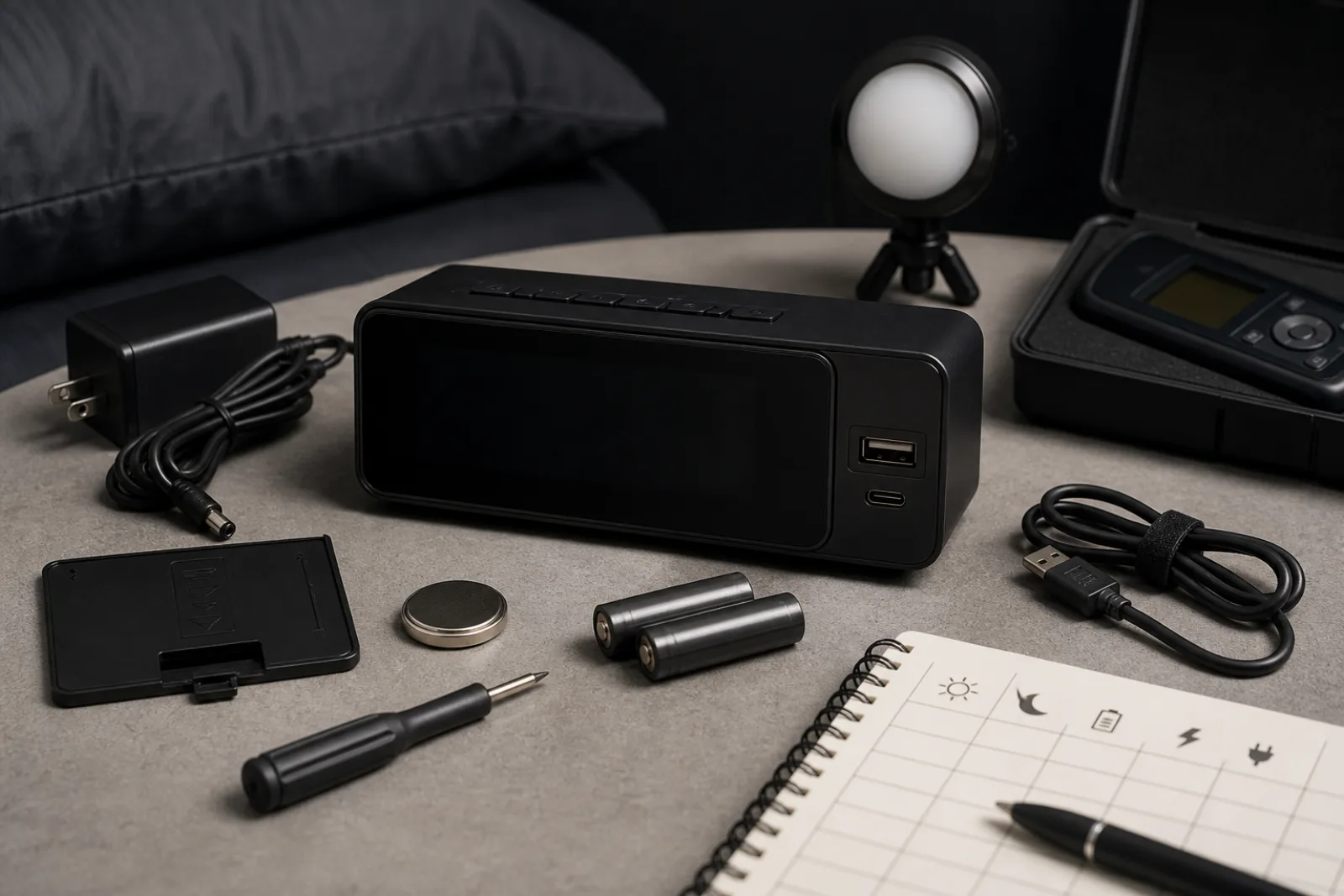
A digital alarm clock is an emissive or backlit display attached to a time base. The digits that make it readable at noon are the same photons NIOSH asks you to remove from a sleep environment. NIOSH's training for nurses on long hours says to block or remove sources of white or blue light in the bedroom, and it names a clock with a white or blue lit dial alongside phones and televisions. NHLBI's healthy-sleep page says keep the bedroom dark, and to avoid bright artificial light from a TV or computer in the hour before bed because that light may signal the brain that it is time to be awake. Those sentences are the clinical floor for this product. They are not a ranking of brands, and they are not a melatonin study. Culture Column has not measured lux at the pillow. This is a specification-based reading of dimmers, backup-battery behavior, and physical controls. It is not the analog-clock buying page, which covers sweep versus tick and alarm hands.
If the reason you want digital is large digits you can read without glasses, the dimmer has to go low enough that those digits are not a nightlight. If the reason is a USB jack for the phone, you are buying a charger that happens to blink time, and that jack is often the first part to fail.
Lowest display brightness is a numbered spec only when the maker prints the steps, and even then the useful question is whether the bottom step is off. LED clocks emit light from the digits themselves. When they are on, they are a lamp. LCD clocks can be unlit, then backlit on a button, which is closer to analog's momentary light. Projection clocks add a third lamp on the ceiling. Auto-dimming that uses a photocell can help in a dark room and can also bottom out at a glow that is still white or blue. NIOSH did not say 'dim.' It said block or remove white or blue lit dials. A clock whose dimmer cannot reach off, or whose lowest preset is still a saturated LED, remains the object in that sentence.
Color of the digits is not a loophole. Red LEDs are often easier to live with than blue or cool white, which matches the spirit of NIOSH naming a dim red nightlight for the bathroom path. It is still light. If you need a path light, NIOSH's red nightlight is the named tool. Using the clock as that path light means the display stays on, which is the opposite of removing the lit dial. Prefer a dimmer with an off position, a button that wakes the display for a few seconds, or an LCD that is dark until you ask. Confirm that 'auto brightness' cannot raise the display when a hallway light leaks under the door.
| Category | LED digits | LCD with optional backlight | Projection |
|---|---|---|---|
| How you read it | The digits emit light whenever the display is on | The digits can be unlit. A backlight or button light is optional. | A second lamp throws the time onto a wall or ceiling |
| NIOSH 'lit dial' problem | Present unless the dimmer reaches off | Avoidable if the backlight stays off overnight | Present in two places: the clock and the projected patch |
| Useful dimmer question | Is the lowest step off, or only 'less bright'? | Can the backlight be disabled, with a button to wake it? | Can projection be switched off independently of the digits? |
| Power | Usually mains, with a small backup cell | Often battery-primary, which is why the display can stay dark | Mains. Projection is extra load and extra heat. |
Battery backup is the most misread line on a digital-clock box. Plug-in LED clocks need mains to light the display. The two AAA cells, or the sealed cell inside, are often there only to remember the time and the alarm setting through a brief outage. Manufacturer listings for common bedside models state, in so many words, that on backup power the display goes blank and the alarm does not sound. Other listings say the display blanks but the alarm will still ring. Those are opposite products. The spec you need is which sentence is in the manual for the model in the cart. A clock that forgets 6:30 after a 3 a.m. blink of the building's power is annoying. A clock that remembers 6:30 and does not ring is how you miss a flight.
If you need the alarm to survive an outage, you want that behavior printed, not inferred from the words 'battery backup.' Analog mechanical clocks, covered in the companion article, ring from a spring. Analog quartz dies when the AA dies, but there is no separate 'display off, alarm off' mode because there is no display driver. Digital's split between memory backup and alarm backup is a plug-in LED problem. Read it as two functions.
- Settings memory only
- Time and alarm time are stored. Display is blank. Alarm does not sound. Common on 5 V adapter clocks that take two AAA cells.
- Memory plus alarm
- Display may still be blank to save the cell, but the beeper runs at the set time. Must be stated in the manual, not assumed.
- Full operation on batteries
- Digits stay on and the alarm sounds. Unusual for bright LED clocks because the display is the load. More typical of LCD travel clocks.
- Sealed internal cell
- Cannot be replaced by the owner. When it dies, backup dies. The clock may still run on mains.
- No backup
- A blink after every outage. You reset time and alarm. Unacceptable if the building's power is unreliable.
Product-architecture summary of behaviors printed in manufacturer listings for plug-in LED clocks. Always read the specific model's manual. Culture Column has not tested backup runtime.
Physical control layout is how you set an alarm without lighting the whole room. The usable digital clock has dedicated buttons: hour, minute, alarm, on/off, snooze on top. One function per button, labeled, findable by feel. The unusable digital clock hides settings in a long press that cycles 12/24-hour, date, year, brightness, and alarm in a loop you cannot reverse at 11 p.m. Capacitive touch panels that need a lit screen are the wrong control for a device whose job is to stay dark. If you share the room, dual alarms with two physical switches beat one alarm and a smartphone for the second person.
USB charging ports are sold as nightstand organization. They are a second machine. Typical clock jacks are USB-A at about 5 volts and 1 amp, enough for a phone overnight in a slow way, not USB Power Delivery, not a laptop, not a guarantee of any particular profile. The port is mechanically stressed every night. It runs warm. It is a cheap switching supply sharing a plastic shell with a clock. When the port dies, the clock often still keeps time, but the nightstand ritual is broken, so the whole unit is replaced. That is the sense in which extra charging ports may age faster than the clock itself. It is architecture, not a lab failure-rate study. If you want charging at the bed, a separate, replaceable USB charger leaves the clock as a clock. Analog clocks generally omit the jack, which is one reason people still buy them.
If you need the digits at full brightness to find the snooze, the dimmer you paid for will not stay low.
- 01Snooze
A large top button, not a touch strip on the face. You should be able to hit it with your eyes closed without raising brightness.
- 02Alarm on/off
A dedicated slider or button, preferably with a tactile detent. Weekend-off should not require a menu.
- 03Dimmer
A wheel or a button that includes off. Photocell auto-dim is extra, not a substitute for a manual floor of zero.
- 04Time and alarm set
Separate hour and minute buttons, or a clearly labeled set rocker. Avoid a single 'mode' key that cycles through date and year.
- 05USB jack
Treat as optional and sacrificial. Prefer that it not be the only reason to buy the clock. A failed jack should not force a new timekeeper if you can still read the manual's backup behavior.
- 06Adapter barrel
Most LED clocks are helpless without the wall wart. Keep the correct voltage adapter. A USB-C-powered clock is still a mains clock if the display needs that 5 V rail.
Keep this page from swallowing the analog article. Analog clocks solve the lit-dial problem by not having a dial lamp, and they introduce tick, lume fade, and an alarm hand. Digital clocks solve tick and add large digits, then reintroduce light, backup-behavior fine print, and USB ports. If you want no always-on photons and will accept a face you read with lume or a button, buy analog. If you need large digits, dual alarms, or a radio, buy digital and spend the attention on the dimmer and the backup sentence. Neither clock is the Living article on bedroom conditions, and neither is the Culture essay on the sleep-product market. NHLBI still wants a consistent sleep and wake time. A dimmer cannot do that work.
Two other digital traps sit in the button row. Twelve-hour displays that hide AM and PM in a faint LED are how people set 6:00 in the evening and sleep through 6:00 in the morning. If the AM/PM indicator is smaller than the digits, prefer 24-hour mode, or a clock that prints AM and PM at the same height as the minutes. Dual alarms are worth having in a shared room only if each alarm has its own on/off. A single alarm plus snooze is not two schedules. Radio-alarm clocks add a tuner and a speaker that can wake you with a station instead of a beep. They also add another light (the frequency display) and another thing that needs a dimmer. If you will not use the radio, it is a second always-on panel. Volume that goes down to a level a partner can sleep through, and up to a level that will actually wake you, is a spec some listings print in decibels. Treat those decibel numbers as manufacturer claims, not as Culture Column measurements, and still insist on a physical volume control you can find in the dark.
Radio-controlled clocks that sync to a time signal are a convenience for people who will not set DST. They do not change the light problem. Nature-sound machines and sunrise lamps are other products. If they keep a bright display, they fail the same NIOSH sentence. Persistent sleep difficulty remains a clinical question.
Whether this digital clock belongs on the nightstand
Can the display go fully off, or to a level you will actually leave overnight?
- 01Dimmer floor
NIOSH: block or remove white or blue lit dials. If the lowest step is still a bright LED, the clock is a nightlight.
- Yes: off, or a true low, with a button to wake digits if needed
- No: always-on digits, or auto-dim that never reaches darkDo not buy it for a dark bedroom. Read the analog-clock article, or keep looking for an LCD or a dimmer with an off stop.
- 02What does the backup cell actually do?
Memory-only backup will not wake you after an outage. Full-operation backup is rare on bright LED clocks.
- Manual says alarm still sounds on backup, or I accept memory-only and have reliable mains
- Unclear, or I need the alarm during outages and the manual says the alarm will not soundPick another model, or use analog mechanical for the outage case. Do not trust the words 'battery backup' alone.
- 03Can you set and stop the alarm by feel?
Dedicated buttons beat a mode loop. USB is optional and sacrificial.
- Physical hour/minute/alarm/snooze, USB optional not requiredBuy it. Set the dimmer to the floor you will actually use. Charge the phone somewhere else if you want the clock to outlive the jack.
- Touch panel, nested menus, or the USB jack is the only reason I want itKeep looking, or buy a charger and a simpler clock as two objects.
Before you buy
- 01
Require a dimmer whose lowest step is off, or dark enough that you will leave it there. NIOSH named lit clock dials as light to remove.
- 02
Read whether backup power sounds the alarm or only stores the time. Those are different products.
- 03
Prefer dedicated physical buttons. Treat USB charging as a separate, shorter-lived part, not as a reason to retire a working clock.
Questions
- 01Is a red LED safer for sleep than a blue one?
NIOSH names white or blue lit dials as light to block, and names a dim red nightlight for a bathroom path. Red digits are often easier to live with than blue. They are still a lit dial if they stay on. Prefer off, or a momentary wake of the display.
- 02Will the USB port charge my phone as fast as a wall charger?
Usually not. Clock jacks are often 5V/1A USB-A, not USB Power Delivery. They are a convenience rail. When they fail, replace the charger, not necessarily the clock, if the timekeeper still works.
- 03Should I buy digital or analog?
Digital if you need large digits, dual alarms, or a radio, and you can get the dimmer to off. Analog if you want no always-on lamp and will set an alarm hand. Tick, lume, and backup behavior differ. See the analog article for movements. Neither product treats insomnia.