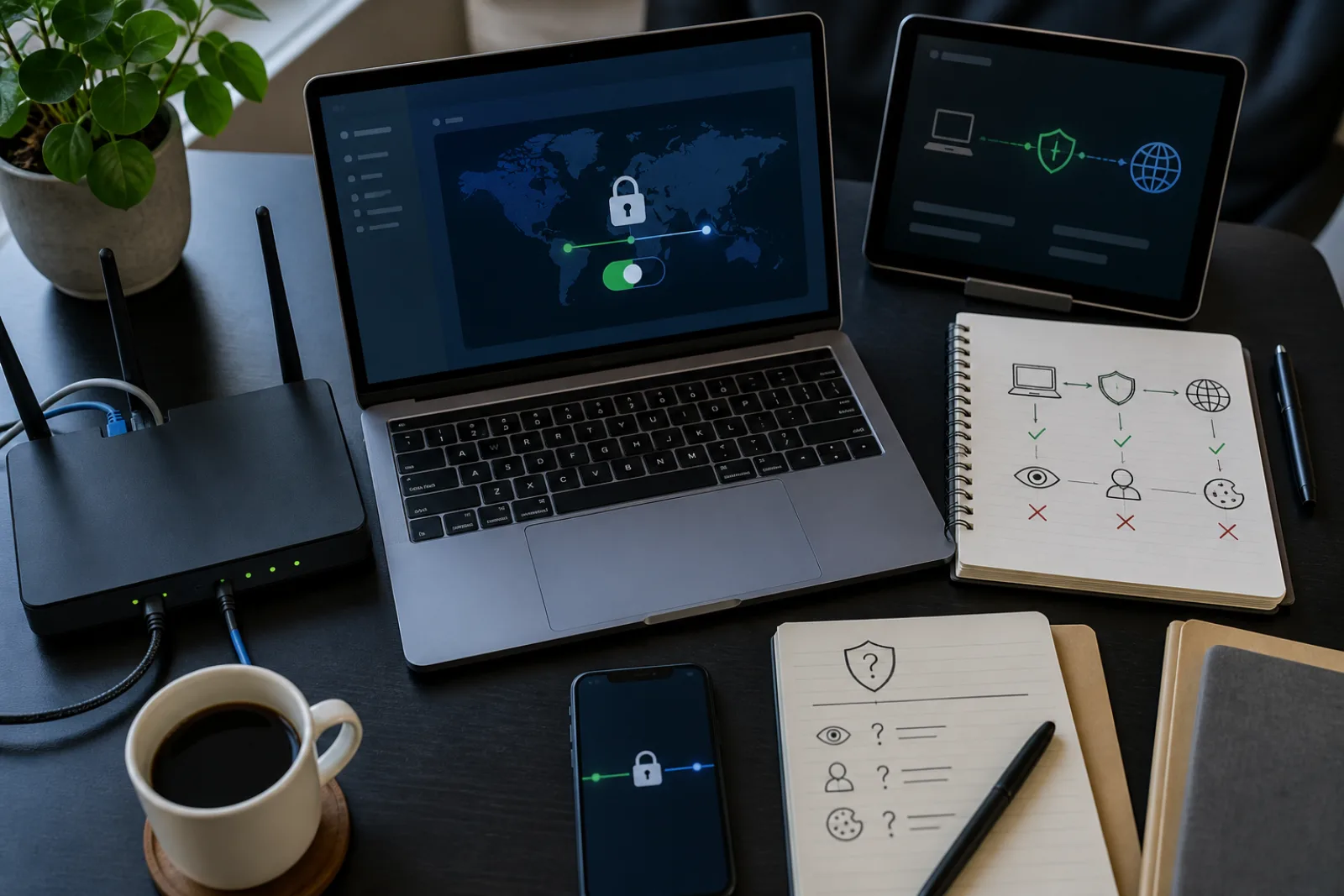
A personal VPN is usually sold as a cloak: turn it on and nobody can see what you do online. The mechanism is more specific than that, and more limited. When the app connects, your device opens an encrypted tunnel to a server the VPN company runs. From the coffee-shop Wi-Fi's point of view, every packet you send appears to go only to that server. From the websites you visit, you appear to be coming from the VPN company's address rather than from the cafe or from your home internet connection. The FTC's 2018 guidance for people shopping for a VPN app describes exactly this routing: data from your phone is first routed through servers controlled by the VPN provider, and some apps also encrypt the path between your device and those servers.
That hop used to matter more when a large share of the web itself was unencrypted. Google's Chrome Security Team, writing in October 2025, reported that HTTPS navigations in Chrome climbed from roughly 30 to 45 percent in 2015 to the 95 to 99 percent range around 2020, and have largely plateaued since. On an HTTPS site, someone on the same public Wi-Fi cannot read the page you loaded even if you are not using a VPN. What they (and your internet service provider) can still see without a VPN is the destination: that you connected to a particular site. A VPN hides that destination from the local network and from your ISP, and hands the same visibility to the VPN provider instead. The FTC put the tradeoff in one sentence: a VPN does not render you anonymous. It just shifts trust from those networks to the VPN app provider.
Once most page loads are already encrypted by HTTPS, a VPN's remaining job on public Wi-Fi is hiding destinations and protecting the leftover unencrypted hops, not concealing the contents of bank or mail pages.
HTTPS by default, Google Chrome Security Team · accessed 2026-08-12 · Values are midpoints of the ranges the Chrome Security Team published on October 28, 2025, drawn from Google's HTTPS Transparency Report of Chrome main-frame page loads. The underlying report does not publish a single annual percentage, so the chart uses the published range midpoints rather than invented precision.
The case that still matches the marketing is open public Wi-Fi. The FTC has long warned that an airport lounge or cafe network that anyone can join makes it easy for others on the same network to intercept traffic. If a VPN app actually encrypts the tunnel, those observers see ciphertext between your device and the VPN server, even when a particular site does not use HTTPS. That is a real, bounded benefit: it covers the last mile you do not control. It does not cover the rest of the path. The VPN company decrypts your traffic at its server and sends it onward to the internet. From that point, ordinary HTTPS (or the lack of it) is what protects the contents again.
CISA's December 2025 Mobile Communications Best Practice Guidance goes further than the FTC's caution, and in a direction that surprises people who have been told to leave a VPN on all the time. For personal use, CISA's recommendation is: do not use a personal VPN. The reason is the same trust shift the FTC described, stated as a risk transfer: personal VPNs shift residual risks from the ISP to the VPN provider, often increasing the attack surface. CISA adds that many free and commercial VPN providers have questionable security and privacy policies. The same document carves out the other kind of VPN: if your organization requires a VPN client to reach its data, that is a different use case. A workplace tunnel that lands you on a company network is an access-control tool. A consumer app that promises to hide you from your ISP is a privacy product, and CISA does not treat those two as interchangeable.
“A VPN app generally isn't going to make you entirely anonymous. A VPN app will typically obscure the content of your traffic from your internet service provider or public Wi-Fi provider, but it doesn't render you anonymous. It just shifts trust from those networks to the VPN app provider.
Andrea Arias, Federal Trade Commission, In the market for a VPN app? (2018)
What the VPN company can see is the part most ads skip. Because your traffic exits from its servers, the provider can log the destinations you visit, timestamps, and the volume of data, unless it has a logging policy you have actually read and a reason to believe the policy is followed. The FTC notes that many free VPN apps exist because they sell advertising inside the app, or because they share information with (or redirect traffic through) third parties. If you installed a VPN to keep traffic private, that business model is the opposite of the job. The same FTC post cites a study of almost 300 VPN apps that found some did not use encryption at all, some asked for sensitive and unexpected privileges, and some shared data with third parties for advertising or analytics. Encryption in the product name is not the same as encryption in the protocol.
The sites you visit are a separate observer, and a VPN does almost nothing to them once you identify yourself. The FTC is specific: sites may be able to tell you are using a VPN, and they can still use any identifying information you share directly, such as an email address on a form. Logging into a bank, a mail account, or a social network tells that site who you are, VPN or not. Cookies, advertising identifiers, and browser fingerprinting continue to work inside the tunnel. A VPN changes the IP address those systems see. It does not reset the rest of the tracking surface.
| What an observer might want | Hidden from your ISP or cafe Wi-Fi? | Hidden from the VPN company? | Hidden from the site you visit? |
|---|---|---|---|
| The hostname of the site you are visiting | Yes, if the tunnel is up and DNS is inside it | No. The provider sees destinations unless it is designed not to log them. | No. The site knows you connected to it. |
| Page contents on an HTTPS site | Yes, even without a VPN. HTTPS already encrypts the page. | Yes, for HTTPS contents. The provider sees the destination, not the page. | No. The site is serving you the page. |
| Page contents on a leftover HTTP site | Yes, if the VPN actually encrypts the tunnel | No. The provider can read unencrypted contents at the exit. | No |
| Your home or cafe IP address, as websites see it | Not applicable. The ISP already assigned it. | No. The provider sees your real IP as the tunnel's source. | Yes. Sites see the VPN exit address instead. |
| The account you log into (email, bank, social) | Yes, contents are usually HTTPS | Yes for contents, no for the fact that you visited the login host | No. You just identified yourself. |
| Cookies, advertising IDs, and browser fingerprint | Not the point of a VPN | Not the point of a VPN | No. These travel inside the session. |
| DNS lookups, if they leak outside the tunnel | No. A leak sends hostnames to the ISP resolver. | Depends on the leak path | Not directly |
| Your ISP public IP via WebRTC on a split tunnel | No, if WebRTC probes the other interface | Not the leak's audience | No. RFC 8828 describes this exact disclosure to the web app. |
Two leak paths are worth knowing by name because they undo the one thing a VPN is actually good at: hiding destinations from the local network. The first is DNS. Your device has to translate a hostname into an address before it can connect. If that lookup goes to your ISP's resolver instead of through the tunnel, the ISP still sees every hostname you visit, even while the web session itself is wrapped. Consumer VPN apps vary in whether they force DNS inside the tunnel. If yours does not, you have bought a tunnel that hides contents from the cafe while still handing the cafe's operator, or your ISP, the list of sites.
The second is WebRTC, the browser feature that sets up peer-to-peer audio, video, and data. IETF RFC 8828, the standard on WebRTC IP address handling, states the privacy problem in the VPN case directly: if the client is trying to hide its physical location through a VPN, and the VPN and operating system support routing over multiple interfaces (a split-tunnel VPN), WebRTC can discover not only the public address for the VPN, but also the ISP public address over which the VPN is running. The RFC calls that the most significant of the three disclosure categories it lists, because for some users the purpose of the VPN is anonymity. Browser defaults have tightened since the RFC was written, but split-tunnel setups and permission prompts still make this a live check rather than a historical footnote. If you are using a VPN specifically so websites do not see your real IP, a WebRTC leak is a complete miss of that goal.
If you still want a personal VPN for travel Wi-Fi, the FTC's shopping list is more useful than a speed-test ranking. Research the developer from sources other than the app's own store page. Read the permissions: an app that needs to intercept all internet traffic should not also need to read your text messages. Confirm, from independent reviews, that the app actually encrypts rather than merely tunneling. Read the privacy policy for third-party sharing, especially on free apps. Then treat logging claims as a policy, not a physical law. A no-logs statement is a promise about what a company says it retains, not a proof of what its servers never wrote down. Jurisdiction matters for the same reason. A provider incorporated where a court can compel logs is a different residual risk than your home ISP, which is already under a known legal regime. CISA's warning that many commercial VPNs have questionable policies is, in part, a warning that you may not be able to verify any of this from the marketing site.
None of this means public Wi-Fi is suddenly safe without any extra step. It means the extra step that matches the threat is often already on: HTTPS for the page, a lock screen on the device, and not typing passwords into a site that is still on HTTP. A VPN is an additional encrypted hop to a company you have chosen to trust more than the cafe. Choose that company the way the FTC describes, or skip the hop, as CISA now advises for personal use, and put the effort into the controls that actually hide identity: account sign-in, tracker settings, and not handing a site information it did not need. If you travel often on open networks, that last-mile hop is still the FTC's original use case. If you are home on a network you control, HTTPS and a patched router are doing more of the job a VPN ad claims.
Questions
- 01Does a VPN hide my activity from my home internet provider?
It hides destinations and contents from the ISP while the tunnel is up, assuming DNS is inside the tunnel. The ISP still sees that you are connected to a VPN server, and for how long, and how much data you moved. The VPN company sees the destinations instead.
- 02If almost everything is HTTPS, why does anyone still use a VPN on cafe Wi-Fi?
HTTPS hides page contents from the cafe. It does not hide the fact that you visited a particular host, and it does not protect leftover HTTP (captive portals, some printers and IoT pages, misconfigured sites). A VPN hides those destinations from the local network and encrypts the unencrypted leftovers on that hop. That is a narrower benefit than the ads claim, and it is still a real one on an open network.
- 03CISA says not to use a personal VPN. The FTC describes how to shop for one. Which is it?
They are answering slightly different questions. The FTC is explaining a product people already buy for public Wi-Fi and warning that it shifts trust and often ships with weak encryption or data sharing. CISA's 2025 mobile guidance, aimed especially at people who are highly targeted, treats that trust shift as a reason to skip personal VPNs entirely. A company-required VPN is out of scope for that warning.
- 04Will a VPN stop ads and trackers?
Not by itself. Trackers that run in the browser or in apps still see cookies, account logins, and device identifiers. Some VPN products bundle a separate blocker. That blocker is not the VPN tunnel, and you can get the same class of protection from browser tracker controls without handing all traffic to a VPN company.
The job a VPN can do
- 01
Use a personal VPN, if you use one at all, as last-mile encryption on networks you do not control, after you have confirmed the app actually encrypts and does not sell your traffic. Do not use it as a substitute for HTTPS, a lock screen, or refusing to log into a site that already knows your name.